

If you’re freelancing in Kenya or anywhere else in Africa, you already know the struggle. You’re competing with thousands of other freelancers on Upwork, Fiverr, and Freelancer.com. Clients want fast turnaround. And your internet bundle isn’t going to last forever.
Here’s the good news. AI tools can help you work faster, take on more clients, and earn more money, without burning out. I’ve used many of these tools myself, and I’ve watched fellow freelancers in Nairobi, Lagos, and Accra use them to double their output.
In this guide, I’ll walk you through the 10 best AI tools for freelancers right now. For each one, I’ll show you what it does, how it helps you earn more, and exactly how to start using it today. Most have free plans, so you can try them before spending a single shilling.
Let’s get into it.
Quick Comparison: 10 Best AI Tools for Freelancers
| Tool | Best For | Free Plan? | Starting Price |
|---|---|---|---|
| ChatGPT | Writing & brainstorming | Yes | Free / $20/mo |
| Grammarly | Proofreading & editing | Yes | Free / $12/mo |
| Canva Magic Studio | Graphic design | Yes | Free / $13/mo |
| Copy.ai | Marketing copy | Yes | Free / $49/mo |
| Otter.ai | Transcription | Yes | Free / $17/mo |
| Notion AI | Organization & summaries | Trial | $10/mo add-on |
| Leonardo.Ai | AI image generation | Yes | Free / $12/mo |
| Descript | Video & podcast editing | Yes | Free / $24/mo |
| QuillBot | Paraphrasing & grammar | Yes | Free / $10/mo |
| ElevenLabs | AI voiceovers | Yes | Free / $5/mo |
1. ChatGPT — Your Writing and Brainstorming Partner
ChatGPT is the AI tool I open first every single morning. It’s a chatbot built by OpenAI, and you can ask it almost anything. Write a blog post, draft an email, explain a tricky concept, or brainstorm 20 business names. It just works.
For freelancers, this is huge. If you’re a content writer, ChatGPT helps you beat writer’s block. If you’re a virtual assistant, it helps you draft client emails in seconds. If you’re a social media manager, it gives you a week of captions in one prompt. You save hours every single day.
Here’s how I use it to land more gigs:
- Open ChatGPT and create a free account.
- Paste a client’s job post into the chat.
- Ask: “Write a short, friendly proposal for this job, highlighting relevant skills.”
- Edit the draft to add your own voice and real examples.
- Send it within minutes, while other freelancers are still typing.
The free version of ChatGPT is good enough for most freelance work. If you write a lot every day, the paid plan at around $20 a month gives you faster replies and access to smarter models. I’d only upgrade once you’re earning steadily from freelancing.
One tip that changed my results: never copy-paste ChatGPT’s output straight to a client. Always add your own examples, your own numbers, and your own opinions. Clients can tell when content sounds robotic, and editors are getting better at spotting it too. Use ChatGPT as your first draft, not your final draft.
2. Grammarly — Your Personal Editor
Grammarly checks your writing for spelling, grammar, tone, and clarity. It works inside Google Docs, Gmail, and most websites through a browser extension. I genuinely don’t write a single freelance proposal without it running in the background.
Why does this matter for your income? Clients judge you fast. A single typo in your first message can cost you a $500 contract. Grammarly catches those small mistakes before the client ever sees them, which means you look more professional, even on days when you’re tired or rushing.
This is especially useful if English isn’t your first language, which is the case for many freelancers across Africa. Grammarly doesn’t just fix grammar. It also tells you when a sentence sounds unclear or overly formal, so you can write the way native English speakers expect on global platforms.
Getting started takes less than five minutes:
- Install the free Grammarly browser extension.
- Turn it on for Gmail, Upwork, and Google Docs.
- Write your message as normal.
- Click the red and yellow underlines to fix issues.
- Check the “tone detector” before you hit send.
The free plan covers basic grammar and spelling, which is enough when you’re starting out. Once you’re sending dozens of proposals a week, the paid plan (around $12 a month) adds tone suggestions and a plagiarism checker, both useful if you write content professionally. Either way, this tool pays for itself the moment it saves one client relationship.
3. Canva Magic Studio — Design Like a Pro Without Design Skills
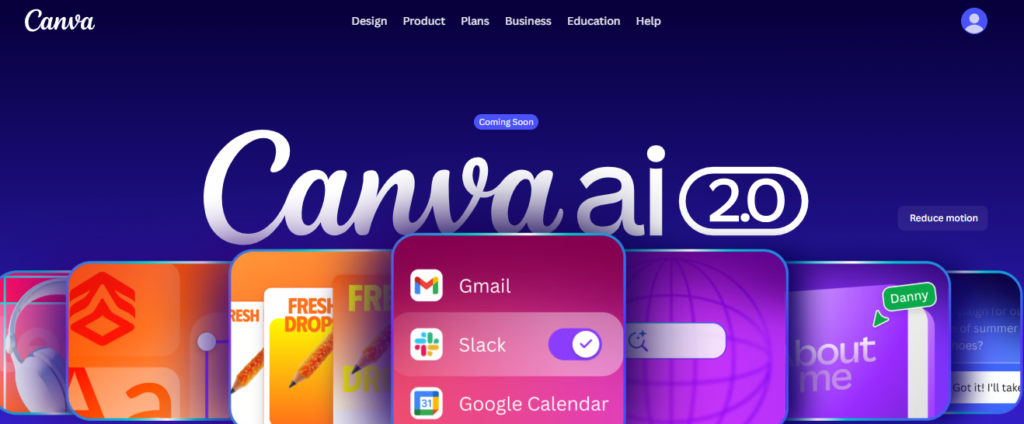
Canva has been around for years, but its newer Magic Studio features changed the game completely. You can now type a description and Canva’s AI will generate a design, resize it for any platform, remove a background, or even write captions for you. No design degree required.
This matters because graphic design gigs pay well, and clients always need social media posts, flyers, presentations, and YouTube thumbnails. With Canva’s AI features, you can offer these services even if you’ve never touched Photoshop.
Here’s a simple workflow I recommend to new freelancers:
- Sign up for a free Canva account.
- Click “Magic Design” and type what you need, like “Instagram post for a coffee shop promo.”
- Pick a template from the AI-generated options.
- Swap in the client’s logo, colors, and text.
- Use “Magic Resize” to turn one design into five sizes for different platforms instantly.
That last step alone can double your income on design gigs. Instead of charging for one Instagram post, you can deliver an Instagram post, a Facebook cover, a WhatsApp status image, and a flyer, all from one design, in minutes.
Canva’s free plan already includes most Magic Studio tools with some limits. The Pro plan, about $13 a month, removes those limits and adds premium templates and unlimited background removal. If you’re serious about design freelancing, this upgrade is worth it after your second or third paying client.
4. Copy.ai — Marketing Copy on Demand
Copy.ai is built specifically for marketing writing. Think product descriptions, ad headlines, email sequences, and landing page copy. While ChatGPT is a generalist, Copy.ai is more like a specialist who already knows marketing frameworks.
If you offer copywriting or social media management services, this tool is a serious time-saver. Instead of staring at a blank page trying to write 20 different ad headlines, you generate them in seconds and just pick the best ones.
Here’s how to put it to work for a client project:
- Create a free Copy.ai account.
- Choose a template, like “Facebook Ad Headline” or “Product Description.”
- Fill in details about the client’s product or service.
- Generate 5 to 10 variations at once.
- Mix and edit the best lines into your final copy.
I like to use this tool for first drafts of email marketing sequences, since writing five connected emails from scratch takes ages. Copy.ai gives me a rough structure, and I spend my time polishing instead of starting from zero.
The free plan gives you a limited number of words per month, which is fine if you’re testing it out on one or two small gigs. Once you’re handling regular copywriting clients, the paid plan starts around $49 a month. That sounds like a lot, but one well-paid copywriting gig usually covers it many times over.
5. Otter.ai — Never Type Notes Again
Otter.ai listens to audio and turns it into text automatically. It transcribes meetings, interviews, podcasts, and webinars in real time. If you’ve ever spent two hours typing up a 30-minute interview, you’ll understand why this tool feels like magic.
This is a goldmine for transcriptionists, virtual assistants, researchers, and content writers who interview people for articles. Instead of manually typing every word, you let Otter do the heavy lifting and just clean up the transcript afterward.
Try this workflow on your next interview-based gig:
- Open the Otter.ai app or website.
- Upload your recorded audio file, or record live during a call.
- Wait a few minutes for the automatic transcript.
- Read through and fix any names or technical terms it misheard.
- Export the clean transcript as a text or Word file for your client.
I’ve used this for podcast clients who needed show notes every week. What used to take me three hours of typing now takes 30 minutes of light editing. That means I can take on more clients in the same amount of time, which directly increases my monthly income.
Otter’s free plan gives you several hours of transcription a month, enough for casual use. If transcription becomes a regular service you offer, the paid plan at roughly $17 a month unlocks more recording time and better accuracy for technical vocabulary.
6. Notion AI — Stay Organized and Sound Sharp
Notion is already popular as a notes and project management app. Notion AI adds a smart assistant directly inside your workspace. It can summarize long documents, write meeting notes, brainstorm project plans, and clean up messy text, all without leaving the app.
For freelancers juggling multiple clients, staying organized is half the battle. Missed deadlines and forgotten tasks cost you repeat business. Notion AI helps you turn a messy brain-dump into a clear project plan in seconds.
Here’s how I use it to manage client work:
- Create a Notion page for each client project.
- Paste in your rough notes from a client call.
- Ask Notion AI to “summarize this into action items.”
- Turn each action item into a task with a deadline.
- Use Notion AI again at the end of the week to write a quick client update.
That last step is something many freelancers skip, but it’s powerful. Sending clients a short weekly update, even when nothing dramatic happened, builds trust. Clients who trust you renew contracts and refer you to others.
Notion itself is free for individuals, but Notion AI is a paid add-on, usually around $10 a month on top of your plan. If you manage more than two or three clients at once, the time you save on organizing and writing updates makes this small cost worth it.
7. Leonardo.Ai — Custom Images Without a Photographer
Leonardo.Ai generates original images from text descriptions. Need a unique illustration for a blog post, a product mockup, or a background image for a presentation? You type what you want, and Leonardo creates several options in under a minute.
This is a big deal for content writers, bloggers, and social media managers who used to rely on generic stock photos. Original AI-generated visuals make your client’s content stand out from competitors using the same five stock images everyone else has seen a hundred times.
To create your first AI image:
- Sign up for a free Leonardo.Ai account.
- Type a clear description, like “a friendly cartoon mascot for a tea brand, simple flat design.”
- Choose a style preset, such as illustration or photorealistic.
- Generate four image options.
- Download your favorite and check the platform’s usage rights before sending it to a client.
I’d add one honest note here. Always double-check what license applies to images you generate, especially for client work that will be used commercially. Most platforms allow commercial use on paid plans, but it’s worth confirming so you and your client stay safe legally.
Leonardo’s free plan gives you a daily allowance of image generations, enough to experiment and complete small projects. If visual content becomes a regular part of your freelance services, plans start around $12 a month for more generations and higher resolution downloads.
8. Descript — Edit Video and Audio by Editing Text
Descript is one of the most underrated tools on this list. It lets you edit video and audio recordings by editing a text transcript, almost like editing a Word document. Delete a sentence from the text, and it deletes that exact moment from the recording too.
If you offer video editing, podcast editing, or YouTube content services, this changes everything. Traditional video editing software has a steep learning curve. Descript flattens that curve, letting beginners produce clean, professional edits much faster.
Here’s a simple way to handle a podcast editing gig:
- Upload the raw audio or video file to Descript.
- Let it auto-generate a transcript.
- Read through and delete filler words, “ums,” and mistakes directly from the text.
- Use the “Studio Sound” feature to clean up background noise automatically.
- Export the finished file in the format your client needs.
What used to take me four hours in traditional editing software now takes about one hour in Descript, for a similar quality result. That means I can take on four podcast clients in the time it used to take me to serve one.
Descript’s free plan covers a decent amount of transcription and editing time each month, perfect for testing it on a few gigs. The Creator plan, around $24 a month, removes watermarks and unlocks longer recording limits, which makes sense once podcast or video editing becomes a steady income stream for you.
9. QuillBot — Paraphrase, Summarize, and Polish
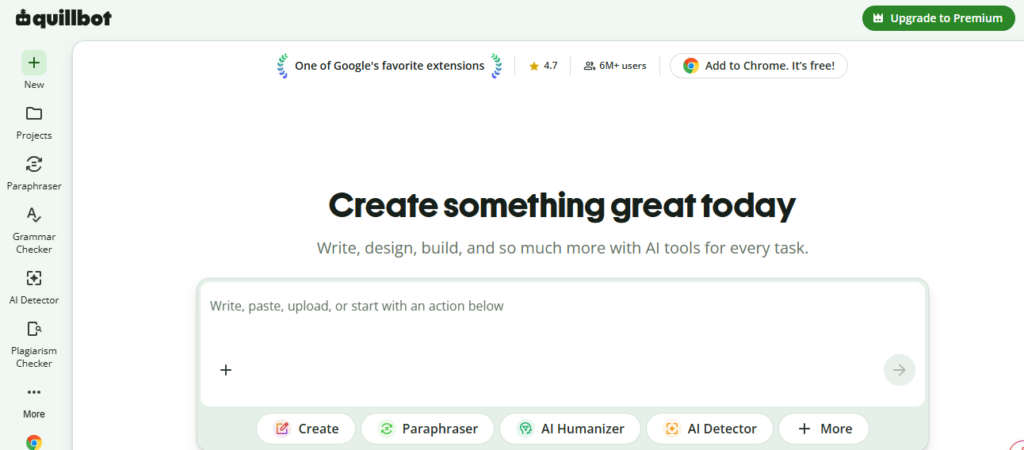
QuillBot focuses on paraphrasing and summarizing text. You paste in a paragraph, and it rewrites it in a different style, tone, or length, while keeping the same meaning. It also includes a grammar checker and citation generator.
This tool is especially useful for content writers, academic writers, and researchers. If you need to rewrite a client’s old blog post in a fresh voice, or condense a 2,000-word report into a tight summary, QuillBot does the heavy lifting in seconds.
Here’s a practical way to use it:
- Paste your draft paragraph into QuillBot’s paraphrasing tool.
- Choose a mode, like “Fluency,” “Formal,” or “Creative.”
- Review the suggested rewrite.
- Click individual words to see alternative options.
- Run your final version through the grammar checker before submitting.
I find this most useful when a client says “make it sound more professional” or “make it shorter,” which happens constantly in freelance writing. Instead of rewriting from scratch, I run my draft through QuillBot and edit the output, cutting my revision time by more than half.
QuillBot’s free plan limits how many words you can paraphrase at once, which is fine for short edits. The premium plan, roughly $10 a month, removes word limits and unlocks more paraphrasing styles, a smart investment if editing and rewriting are a regular part of your freelance services.
10. ElevenLabs — Realistic AI Voiceovers
ElevenLabs creates lifelike AI voiceovers from text. You type a script, choose a voice, and it generates audio that sounds remarkably close to a real human speaker. It supports multiple languages and accents too.
This opens up voiceover work to freelancers who don’t have professional recording equipment or a quiet room to record in. You can offer voiceover services for YouTube videos, e-learning courses, and explainer videos without ever turning on a microphone.
Here’s how to deliver your first AI voiceover gig:
- Sign up for a free ElevenLabs account.
- Paste your client’s script into the text box.
- Browse the voice library and pick one that matches the project’s tone.
- Generate the audio and listen for any odd pronunciations.
- Re-generate problem sentences individually, then export the final audio file.
A word of honesty here: always tell your client the voiceover is AI-generated, since some platforms and audiences have rules around disclosure. Being upfront builds trust, and most clients are fine with it once they hear the quality.
ElevenLabs offers a free plan with a limited number of characters per month, good for small projects or testing the waters. Paid plans start at around $5 a month for more generation time and access to more voices, which is one of the most affordable upgrades on this entire list.
How to Choose the Right AI Tools for Your Freelance Niche
You don’t need all 10 tools. Pick two or three that match the services you already offer, and master those first.
- Writers and editors: ChatGPT, Grammarly, QuillBot
- Designers: Canva Magic Studio, Leonardo.Ai
- Marketers and social media managers: Copy.ai, Canva, ChatGPT
- Video and audio editors: Descript, Otter.ai, ElevenLabs
- Virtual assistants: Notion AI, ChatGPT, Otter.ai
(Suggested image: a simple infographic grouping the 10 tools into these five freelancer categories)
Tips for Using AI Tools as an African Freelancer
- Start with free plans. Every tool on this list has a free tier. Test it on a real gig before paying anything.
- Watch your data usage. AI tools work in your browser, so use Wi-Fi where possible to save your mobile data bundle.
- Disclose AI use when required. Some clients and platforms want to know if AI helped create the work. Be honest, it protects your reputation.
- Always add your own touch. AI gives you speed, but clients pay for your judgment, your voice, and your quality control.
- Reinvest your savings. Once AI tools start saving you real hours, use that extra time to take on more clients or learn a new skill that raises your rates.
Frequently Asked Questions
Are these AI tools free to use in Kenya and other African countries? Yes. All 10 tools have free plans that work from anywhere with an internet connection. Paid upgrades are optional and only needed once you’re earning steadily.
Will using AI tools get me flagged for plagiarism? Not if you edit and personalize the output. Tools like Grammarly include plagiarism checkers, and adding your own examples and voice keeps your work original.
Which AI tool should I learn first? If you’re unsure, start with ChatGPT and Grammarly. They’re useful across almost every freelancing niche and take the least time to learn.
Can AI tools replace my freelancing skills? No. AI tools speed up your work, but clients still hire you for judgment, creativity, communication, and quality control. Think of AI as your assistant, not your replacement.
Final Thoughts
Freelancing income doesn’t grow just from working harder. It grows from working smarter, taking on more clients without burning out, and delivering faster than your competition.
The 10 AI tools in this guide, ChatGPT, Grammarly, Canva Magic Studio, Copy.ai, Otter.ai, Notion AI, Leonardo.Ai, Descript, QuillBot, and ElevenLabs, can each save you hours every week. Pick two that fit your niche, try the free plans this week, and watch your output, and your income, start to climb.
Which tool are you trying first? Start small, stay consistent, and let AI carry the repetitive work while you focus on growing your client base.